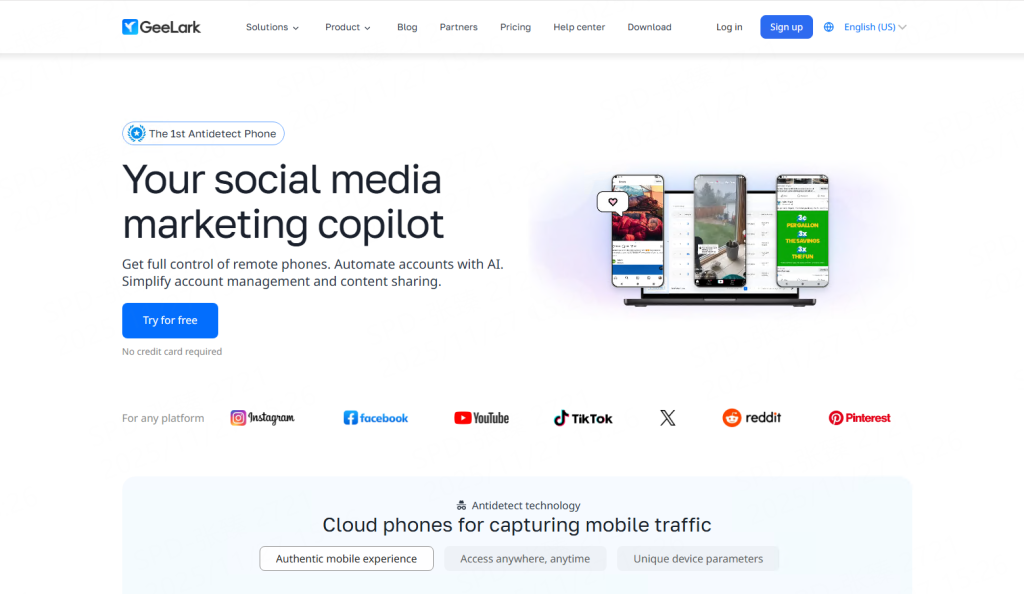
What is Geelark?
GeeLark is a cloud-native, one-stop mobile operations platform. It primarily serves cross-border sellers, brands, creators, and marketing agencies by providing virtual Android phones running in the cloud, helping them efficiently and securely manage social media accounts and conduct marketing campaigns.
Core Advantages:
Powerful Cloud Phone Technology and Security: GeeLark provides completely independent cloud phone environments. Each cloud phone has a unique device fingerprint, effectively simulating a real smartphone and minimizing the risk of association between different accounts.
Automated Processes: Simulates real user behavior (such as browsing, searching, and liking) to accurately tag accounts, quickly improving account weight and security.
Cloud Phone + Fingerprint Browser: Use the cloud phone environment when operating mobile apps like TikTok and Instagram or conducting live streams. Use the fingerprint browser environment when managing TikTok Ads accounts, Shopify/Amazon stores, and other web-based businesses.
Why Integrate 922S5 Proxy with Geelark?
Addressing Core Pain Points:
IP Blocking: Target websites (especially e-commerce and social media platforms) have strict defenses against data center IPs and abnormal access behavior. 922S5Proxy’s residential IPs provide each account with a unique network identity, fundamentally solving the association problem.
Mobile Number/Email Verification: Platforms may require verification when registering or recovering an account. Using a residential IP address consistent with the account’s preset region significantly improves the verification success rate.
Access to Geographically Restricted Content: Certain social media features or content (such as Instagram’s shopping feature and TikTok’s music library) are only available in specific regions. Using a local IP address is the only key to accessing these features.
Typical Application Scenarios:
Cross-border E-commerce Competitive Intelligence: Precisely monitor product prices, inventory, and reviews on platforms like Amazon and eBay in different countries.
Social Media Monitoring and Analysis: Securely collect public data from platforms like Twitter, Instagram, and TikTok, and manage multiple accounts.
Search Engine Optimization Monitoring: Simulate users in different locations worldwide to view localized keyword search result rankings.
Brand and Price Protection: Track competitors’ pricing strategies and promotional activities on a large scale.
How to configure 922 S5 Proxy and Geelark?
Step 1:
Register and log in to 922S5Proxy.
Register and log in to Geelark.
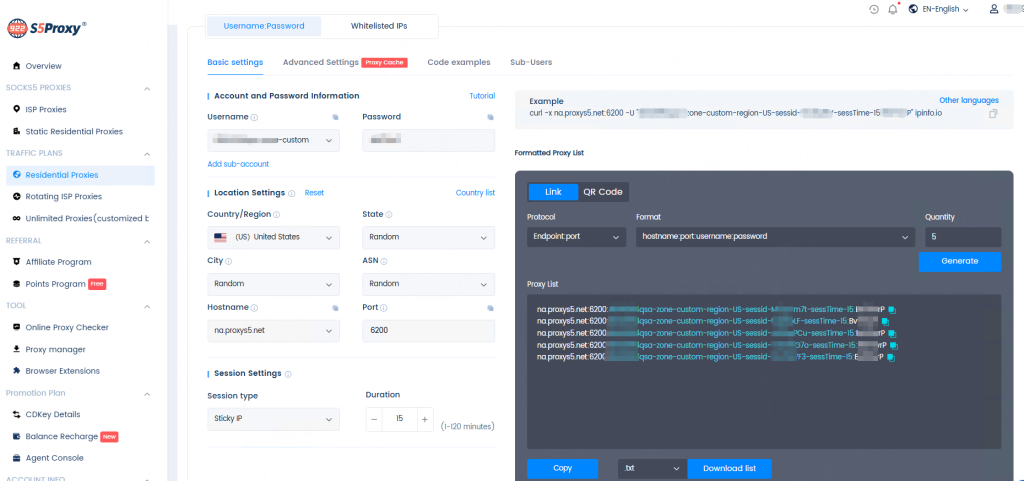
Step 2: Generate proxy
Go to the dashboard of the corresponding package in the 922proxy personal center, set the country, city, rotation mode, etc., and generate user&pass auth link.
Screenshot using rotating residential proxy as an example:
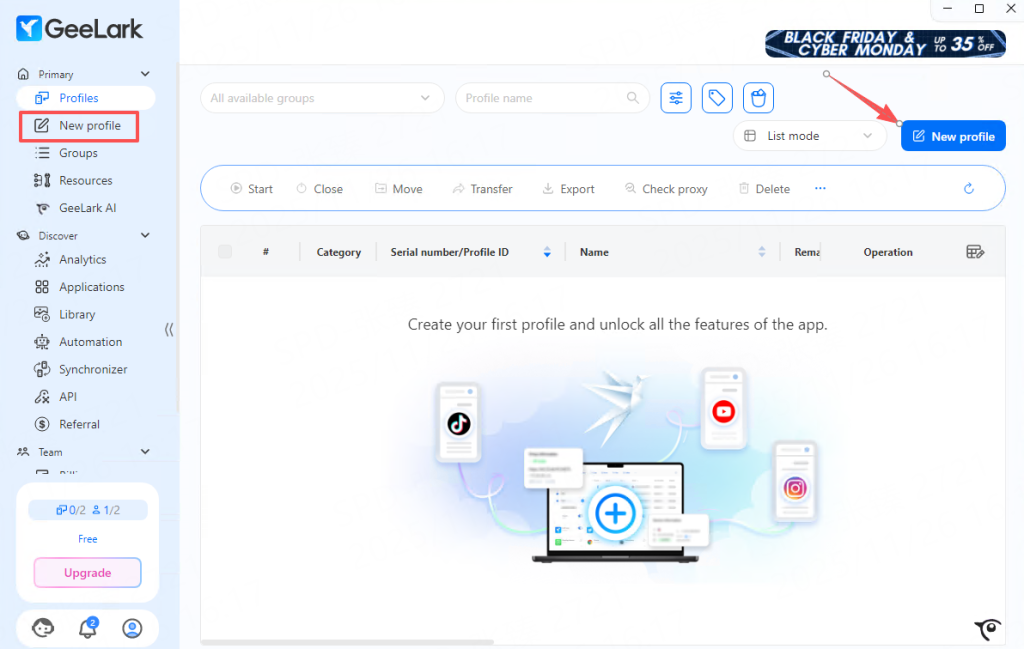
Step 3:
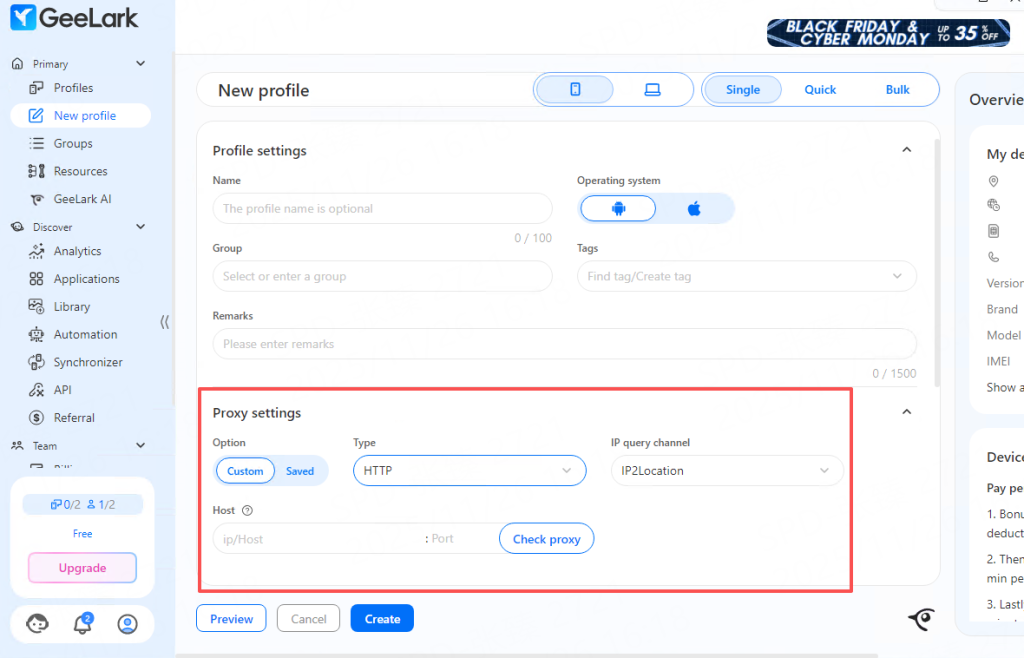
Launch the Geelark application and create a new profile.
Step 4:
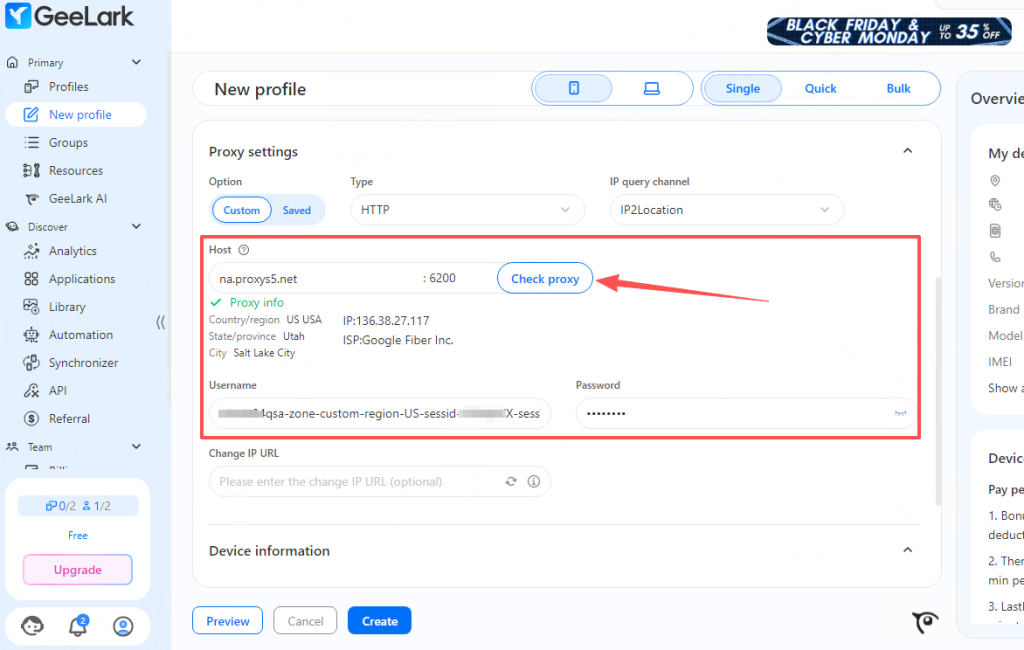
Go to the proxy settings area, paste the user&pass info copied from 922proxy into the “Host” field with one click. Clicking on a blank area will automatically fill in the remaining info.
Step 5: Click the “Check Proxy” button. If the proxy IP information appears, the detection is successful.
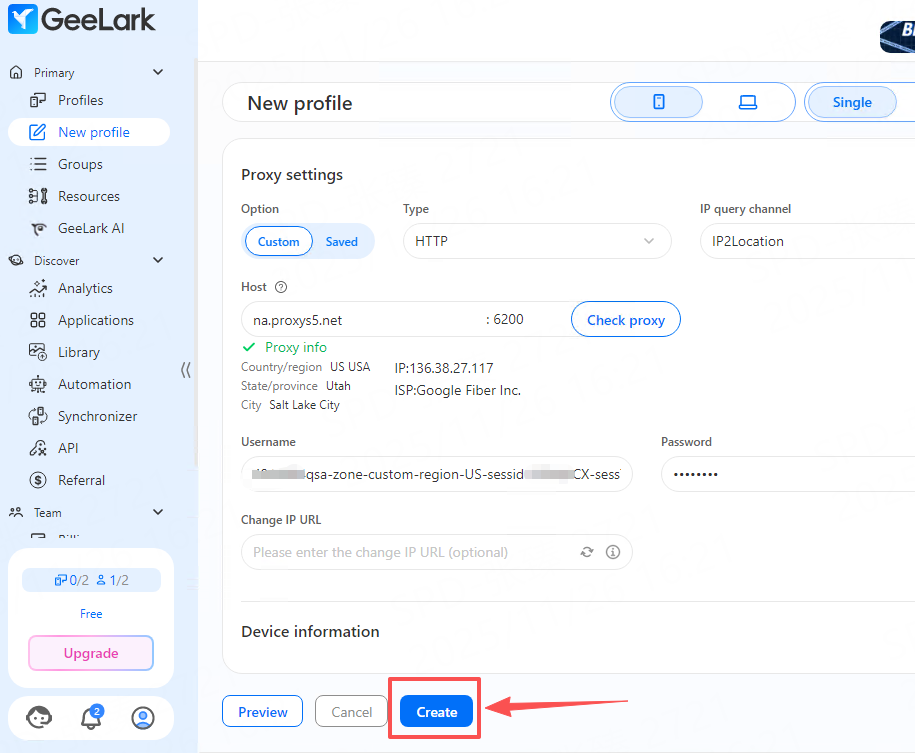
Step 6: Click the “Create” button.
Step 7: Click the “Start” button to start the cloud phone.
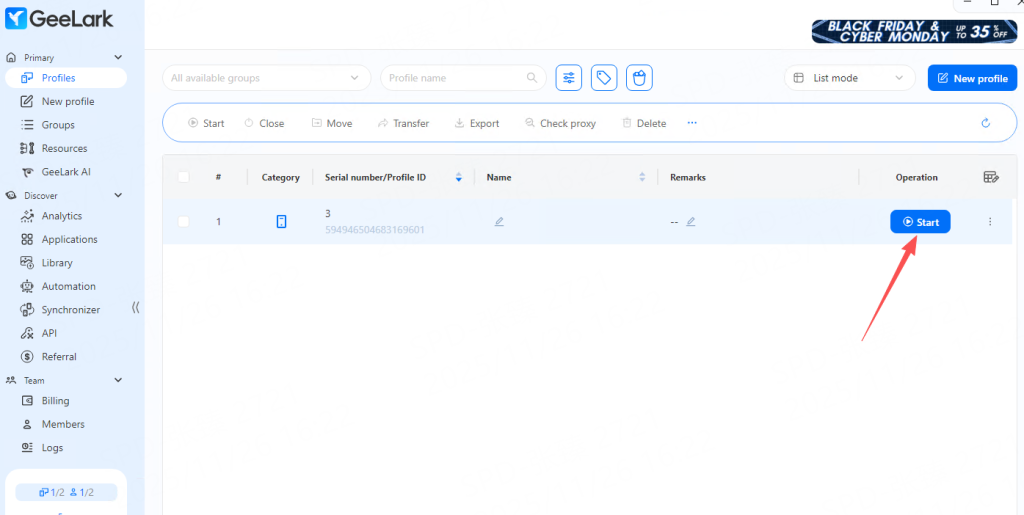
Step 8: After the cloud phone is started, you can enter the detection website to check the IP address.
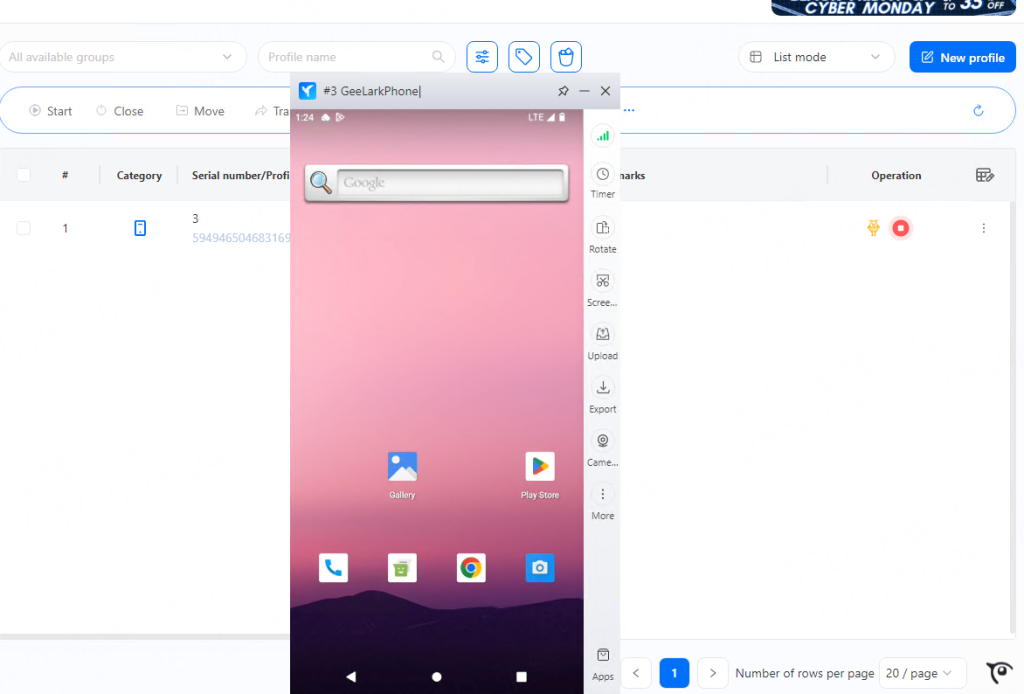
With the above configuration, you have successfully established a secure and efficient multi-account social media management solution. Now, you can confidently scale your social media matrix without worrying about account security issues.